
The a123a app puts slots, Live Casino, sports betting, and Pix withdrawals right on your phone screen. Quick to install, light to run, and easy to use — whether you're on Android or iPhone.
Choose your platform and start playing in minutes.
Download the APK directly from the a123a website and install it on any Android smartphone or tablet.
On iOS, access the a123a app through the Safari browser and add it to your home screen as a Web App — no App Store required.
Simple step-by-step guide for Android and iOS.
Android — installation via APK
Open the browser on your Android device and go to the official a123a website.
Tap the Android app download button and wait for the APK file to download.
In Android settings, allow "Unknown Sources" for the browser you used.
Open the APK file, confirm the installation, and sign in with your a123a credentials.
iOS — installation via Safari
On iPhone or iPad, open Safari and go to the official a123a website.
Tap the share icon (square with an arrow pointing up) in the Safari toolbar.
Select "Add to Home Screen" and confirm the shortcut name.
Tap the a123a icon on your home screen. The app opens in full screen, just like a native app.

When a123a launched its mobile version, the goal was not simply to compress the desktop version onto a smaller screen. It was to build an experience designed from the ground up for players who game on their phones — and that makes all the difference day to day. If you've ever tried using a gaming site through the Android or iPhone browser and got frustrated with menus that don't open properly, tiny buttons, or slow loading times, you'll know exactly what we mean.
The a123a app was built to run smoothly on smartphones with different hardware configurations, from mid-range devices to the most advanced models. The interface automatically adapts to the screen size, touch response is fluid, and games load quickly even on slower 4G connections. For those living in areas where internet can be unstable, that makes a real difference.
The app brings everything available on the a123a web version into one place, organized in a more intuitive way for touch navigation. On the app's home screen, you'll already find featured games, active promotions, and quick access to your balance and account history. No need to search around — what you use most is just a tap away.
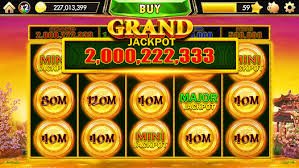
The slots available in the app total hundreds of titles from internationally recognized providers. From classic three-reel games to the most modern versions with multiple paylines, bonus rounds, and multipliers. Graphics quality is preserved even on a phone screen, and animations run smoothly even on more modest smartphones thanks to the performance optimization done by the a123a team.
Live Casino on mobile: blackjack, roulette, and baccarat tables with real-time dealers work flawlessly in the app. The video stream is optimized for mobile, maintaining quality even on 4G connections or Wi-Fi with an average signal.
The sports betting section is also fully featured in the app. You can track odds in real time, build multi-bets, and follow live games with automatic score and odds updates. For Brazilian football fans — Brasileirão, Copa do Brasil, state leagues — this is one of the most-used features inside the a123a app.

One of the most praised features by a123a users in Brazil is the Pix integration directly through the mobile app. Making a deposit takes seconds: you choose the amount, the system generates a Pix QR Code, you scan it with your bank app, and the balance appears in your a123a account instantly. No boleto bancário, no waiting until the next business day, no hassle.
For withdrawals, the process is equally straightforward. You enter the amount you want to withdraw, confirm your registered Pix key, and submit the request. For verified accounts, processing typically takes just minutes. All of this without needing to open a computer — full financial management happens right there on your phone screen.
In addition to Pix, the a123a app also accepts credit and debit cards for deposits, as well as bank transfers for those who prefer that method. Payment options are neatly organized in the app's cashier menu, with clear instructions for each method.
One feature many players discover after using the app for a while is the notification system. a123a sends alerts to inform you about short-term promotions, bonuses available for activation, sports betting results you are following, and processed withdrawal confirmations. You can customize which notifications you want to receive in the app settings — without being bothered by alerts that don't interest you.
Personalization goes beyond notifications. In the app profile, you can set daily or weekly deposit limits, configure play time alerts, and access responsible gambling tools. These options exist so you stay in control of your experience and play mindfully, without needing to switch to the desktop to make adjustments.
All communication between the app and a123a servers is encrypted with SSL, the same standard used by banking apps. Your login credentials, personal information, and transaction history are protected every session. For an extra layer of security, the app supports two-factor authentication — enabling this option means any new access to your account will require an additional confirmation, preventing unauthorized access even if someone has your phone unlocked.
Biometric login is also available for compatible devices. With this feature enabled, you access your a123a account using fingerprint or facial recognition — fast, convenient, and far more secure than typing your password every time, especially when you're playing on the go.
This is a common question among new users. The a123a web version works fine through the mobile browser, but the dedicated app offers real advantages in everyday use. The main one is performance: the app is optimized for the mobile environment, meaning faster loading, smoother animations, and lower battery consumption during long sessions.
| Feature | Native App (Android) | Web App (iOS/Safari) | Mobile Browser |
|---|---|---|---|
| Loading speed | ★★★ | ★★★ | ★★ |
| Push notifications | ✓ | ✓ (iOS 16.4+) | ✗ |
| Biometric login | ✓ | ✓ | ✗ |
| Offline access (menus) | ✓ | ✓ | ✗ |
| Battery usage | Low | Low | Mid-range |
| Update required | Occasional (APK) | Automatic | Automatic |
The a123a support chat is available directly within the app. If you have any questions about a withdrawal, a bonus, or how a game works, just open the help menu and start a conversation with the support team in English. Support operates during extended hours and typically responds quickly — no need to leave the app to open your email or look for contact elsewhere.
Beyond live chat, the app includes an integrated FAQ section where you can find answers to the most common questions about registration, payments, bonuses, and game rules. This section is regularly updated by the a123a team based on real questions from Brazilian users.
A few simple habits make a real difference for regular app users. The first is keeping the app up to date — updates bring performance improvements, bug fixes, and sometimes new features. On Android, you can check for a new APK version on the a123a website. On iOS, since the app is web-based, updates happen automatically.
Using Wi-Fi instead of mobile data when available improves the experience, especially in the Live Casino where video streaming is involved. On unstable 4G connections, video quality may drop, but the game keeps running thanks to the platform's adaptive streaming mode.
Enabling app notifications is another valuable tip — especially for keeping up with limited-time promotions. a123a regularly releases bonuses and free spins, and users with notifications enabled are usually among the first to take advantage of these offers before they run out.
Finally, setting up biometric login the first time you use the app saves time in every future session. With fingerprint or facial recognition enabled, logging into your a123a account takes less than a second — a small detail that, multiplied across multiple sessions per week, makes the app feel even more seamless in everyday use.
Create your free account and keep a123a always at hand on your phone.
Create Free AccountDownload the a123a APK only from the official website. Avoid third-party versions or links sent via messages — they may contain malicious software that puts your data at risk.
Features built with the Brazilian player in mind.
Interface optimized for 4G and Wi-Fi, with games that load in seconds even on mid-range phones.
Sign in with fingerprint or face recognition. Enable two-factor authentication for extra protection.
Promotion alerts, confirmed withdrawals, and betting results — only what you choose to receive.
Dark mode interface by default, perfect for playing at night without straining your eyes.
Get your questions answered before downloading.
Register for free, deposit via Pix in seconds, and get access to slots, Live Casino, and sports betting right on your phone screen.